Know exactly who clicked what, and when.
Every link Scorpion rewrites is recorded when it is delivered and again when it is clicked. The console turns that into one answer to the question you are asked after an incident: who received it, who clicked it, and what did we know about the site at that moment?
01The overview
The first page is the one you check each morning. Four tiles give the headline numbers, and a chart shows clicks per day split by what the checker said about the destination. Every number links through to the rows behind it.
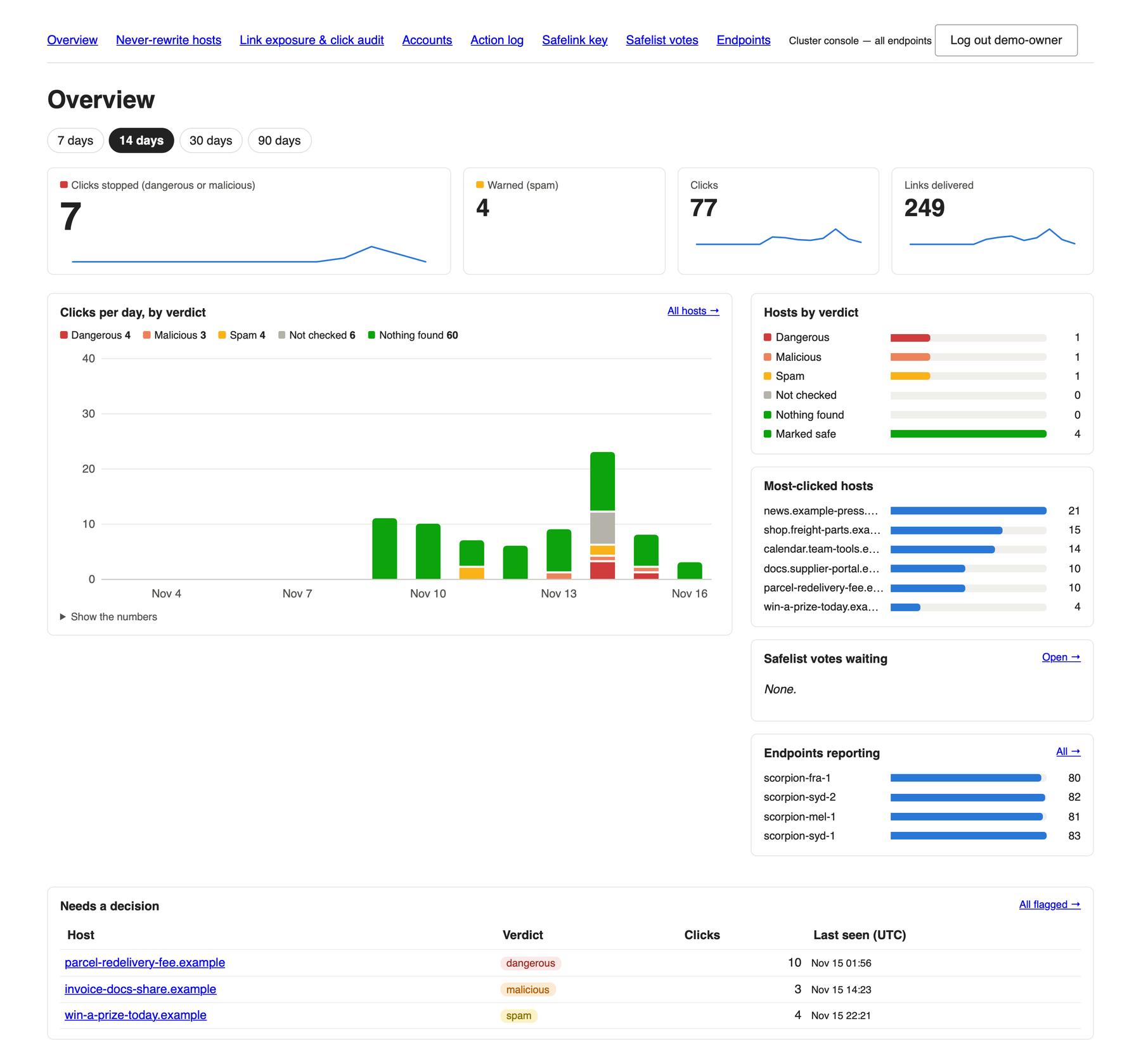
Dangerous or malicious
Clicks that were stopped, with a trend line. A second tile counts clicks that were warned as spam.
Clicks per day
Dangerous, malicious, spam, not checked and nothing found, stacked by day. Click a colour to see exactly those clicks.
Worst first
Hosts the checker has condemned, with click counts and when they were last seen.
02The path down: who clicked what
The point of the audit is that you can go from “this site is bad” to “these people were exposed” in a few clicks, with nothing to export and cross-reference by hand.
-
Start from the hosts
Every destination with a recorded delivery or click, ordered by what the checker says about it now, worst first. A host that was worse in the past says so under “Earlier”. Search by host, or jump straight to one person’s history.
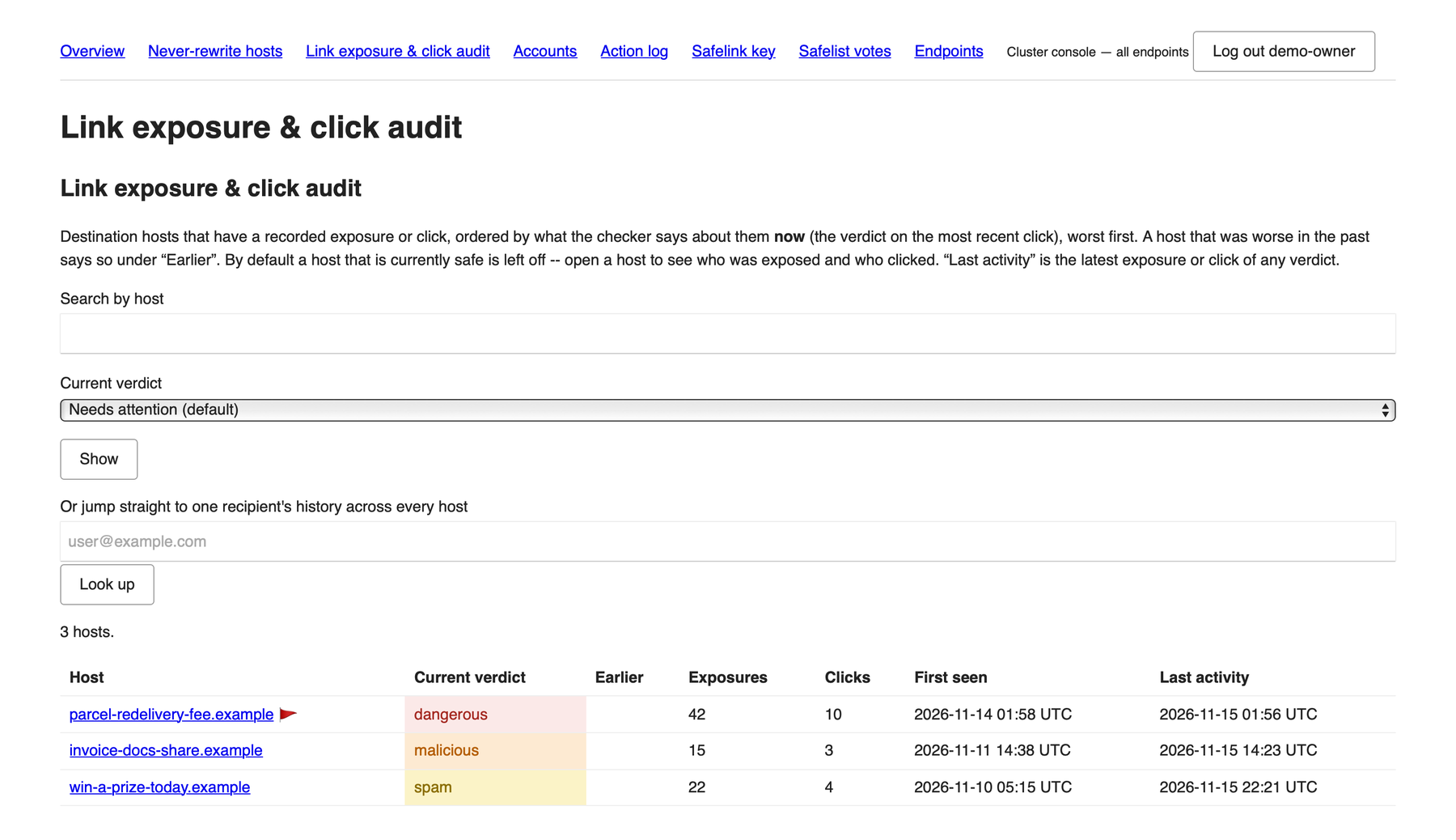
Link exposure & click audit. The red flag marks a host with a flagged campaign. -
Open a host
One destination, broken down three ways: by URL, by email subject, and by recipient, each with exposures, clicks and when it was last seen. From here you can flag a campaign as malicious, print a report, or export.
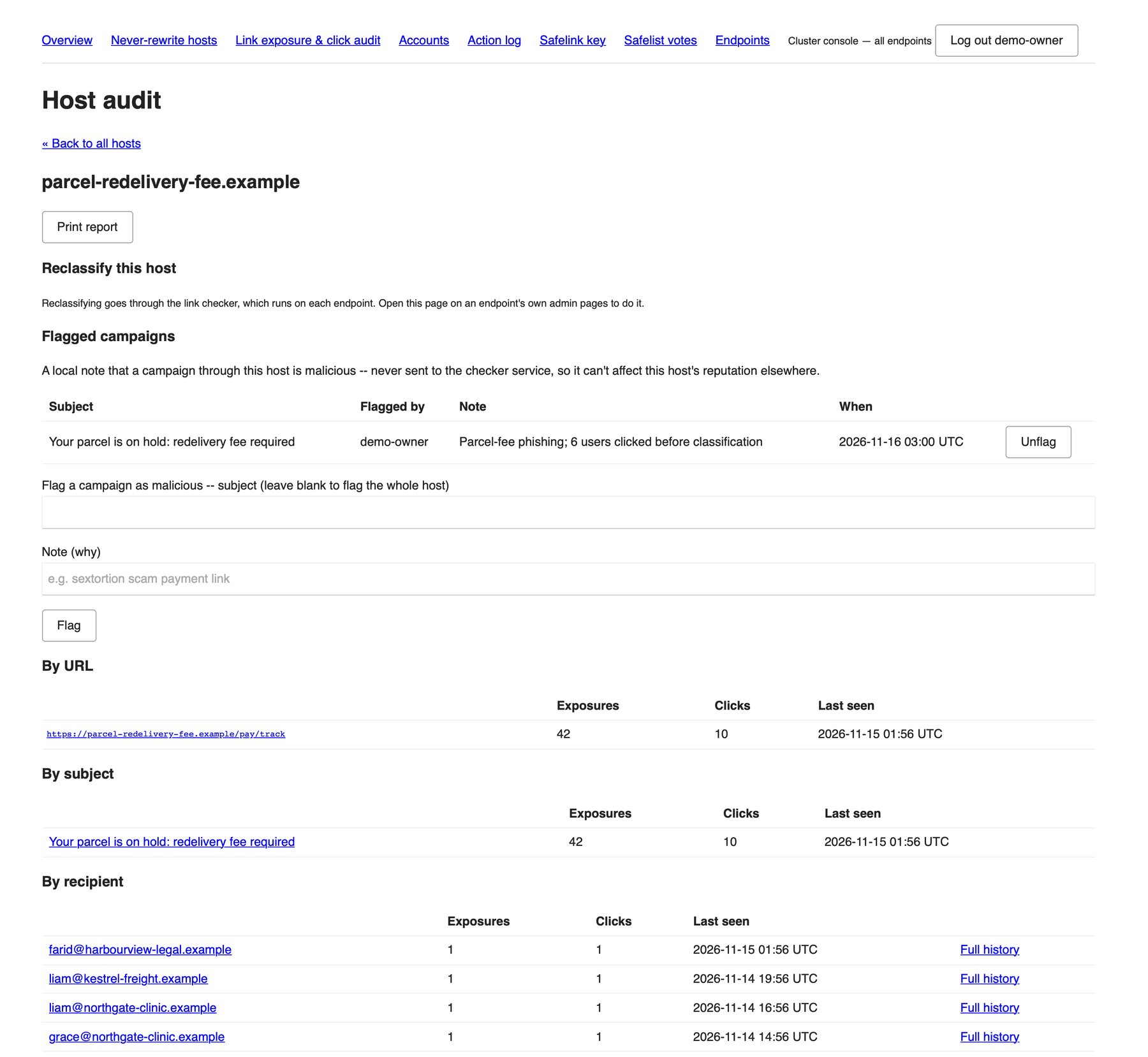
Host audit. 42 exposures and 10 clicks for one campaign. Each recipient links to their full history. -
See who clicked, and what we knew then
Each click shows the recipient, the time, the client address, the subject, the sender, and the verdict at the moment of the click. That is what separates the people who need a conversation from the people who were protected.
unknown clicked before the site was classified, so the click went throughdangerous clicked after, so the recipient was warned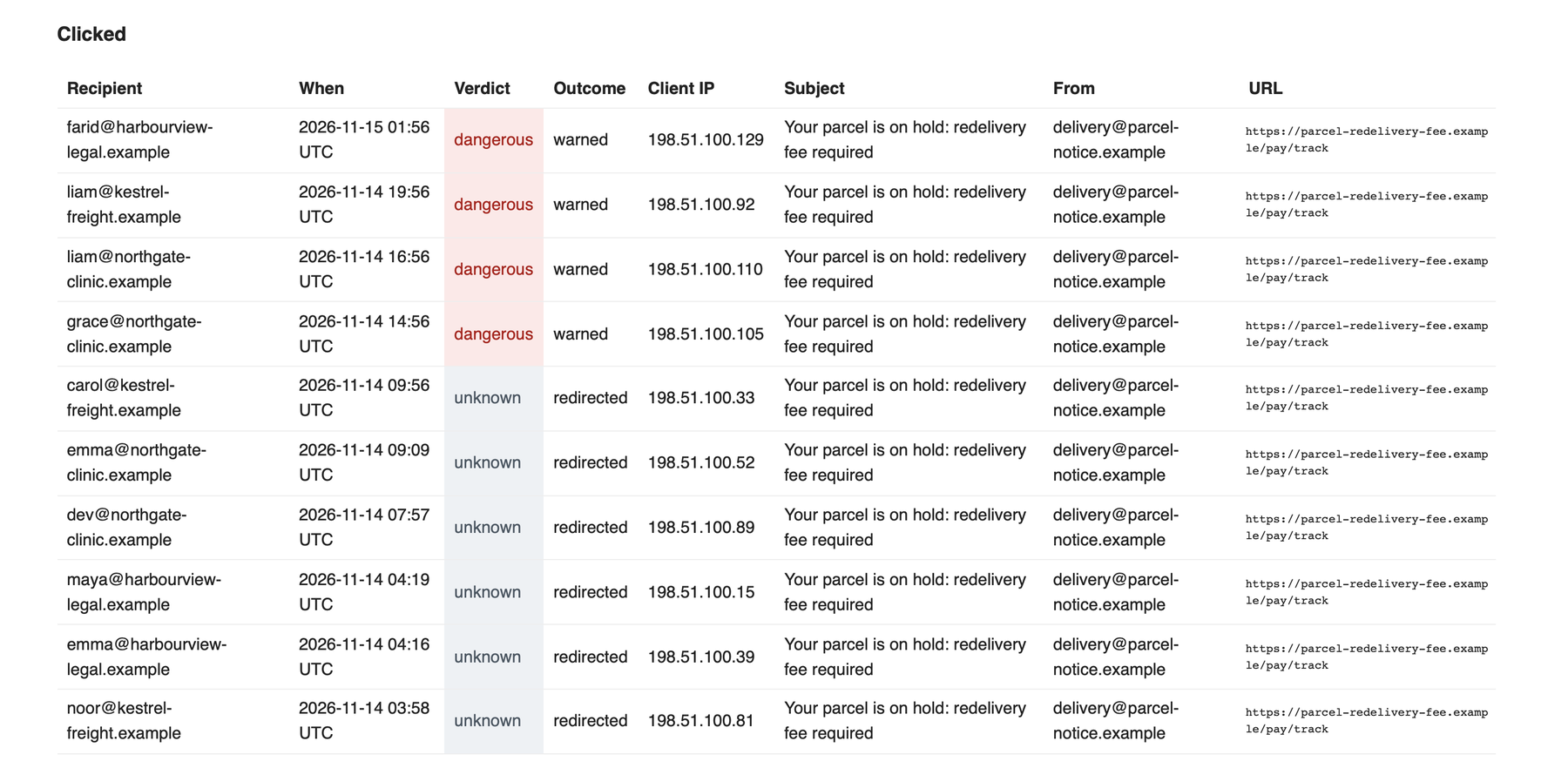
Clicked. Six of these ten clicked before the host was classified. They are the ones to follow up. -
See who received it and did not click
Everyone whose mail contained the link and who never opened it. They are still worth telling: a dangerous link sitting in an inbox is a risk whether or not it has been opened. Each row shows when it arrived and how many times it was fetched.
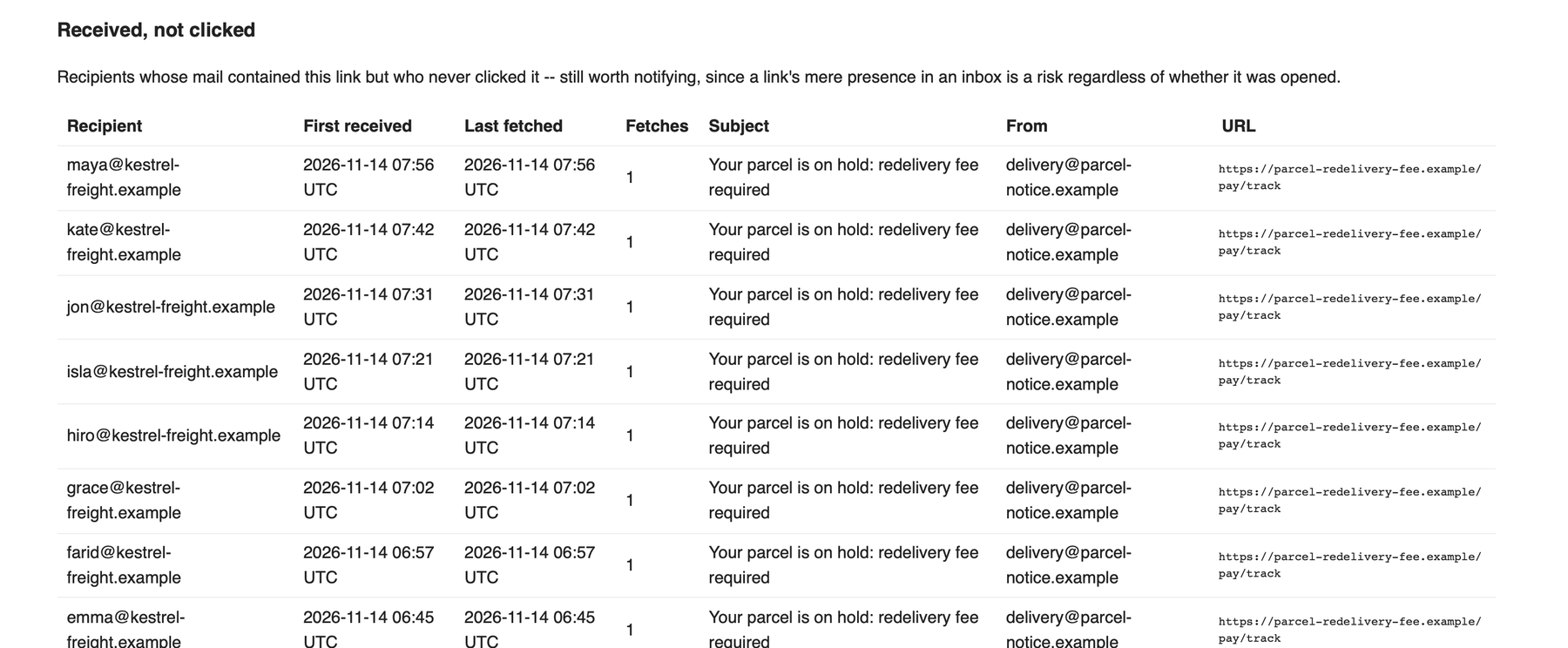
Received, not clicked. The other side of the audit. -
Follow one person across every host
Pick a recipient and see every host they were sent or clicked, with the current verdict, any earlier verdict, exposures, clicks, and first and last activity. Export it as CSV for the file.
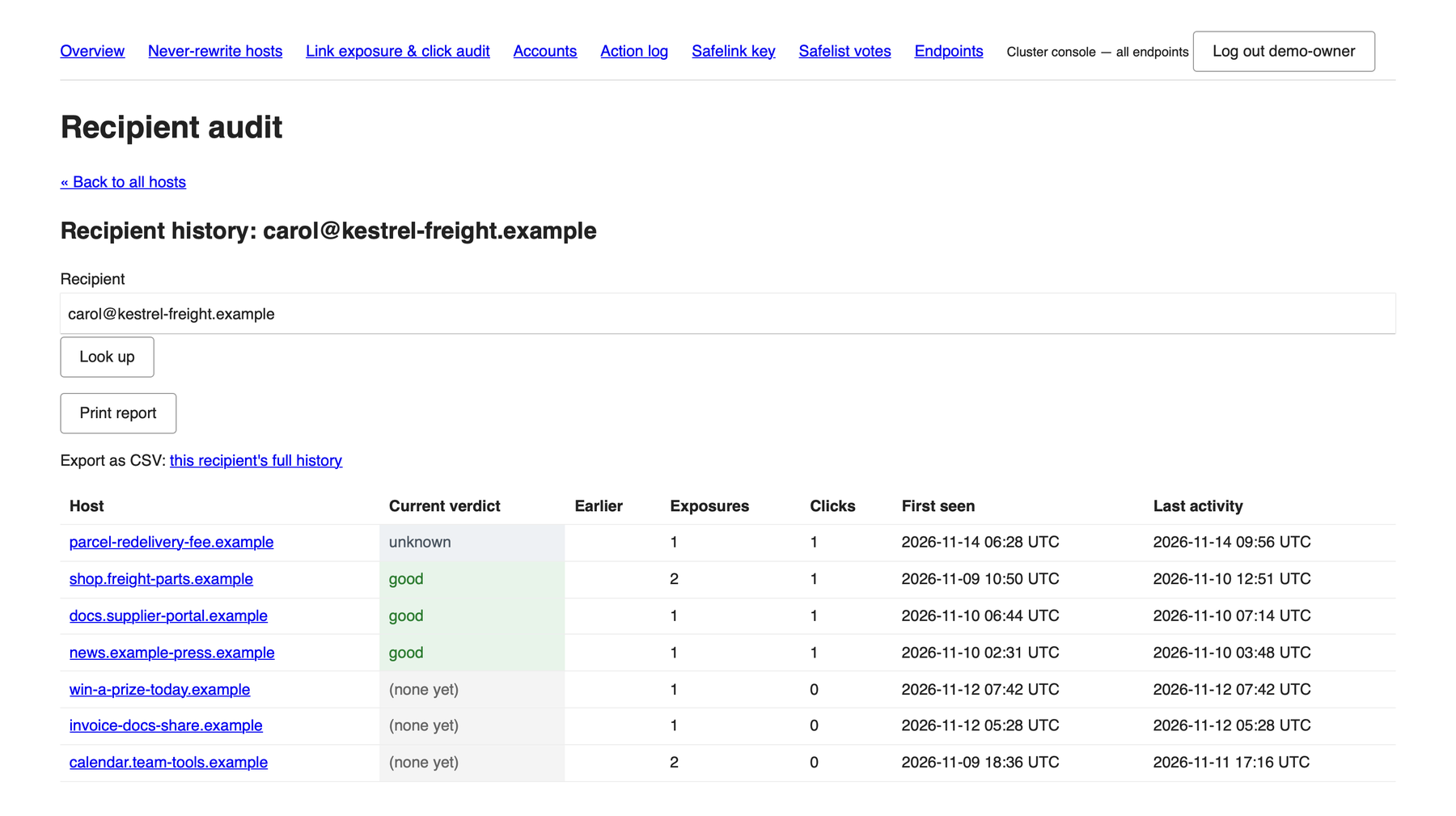
Recipient history. One mailbox, all hosts, one table.
Everything above can be exported as CSV (who clicked, received but did not click, or everything) and printed as a report. Used together with the rspamd service plugin, you are also alerted to everyone who received a message, not only those who clicked.
03One console, every endpoint
Each Scorpion endpoint carries these pages built in, which is handy on a single machine. For a larger installation, scorpion-console serves the same pages as a daemon of its own, reading the central store that every endpoint writes to. Thirty endpoints answering to one name produce one report, with one sign-in. The console rewrites no mail, checks no links and connects to no mail backend, so the place your administrators sign in does not have to be a mail-facing machine.
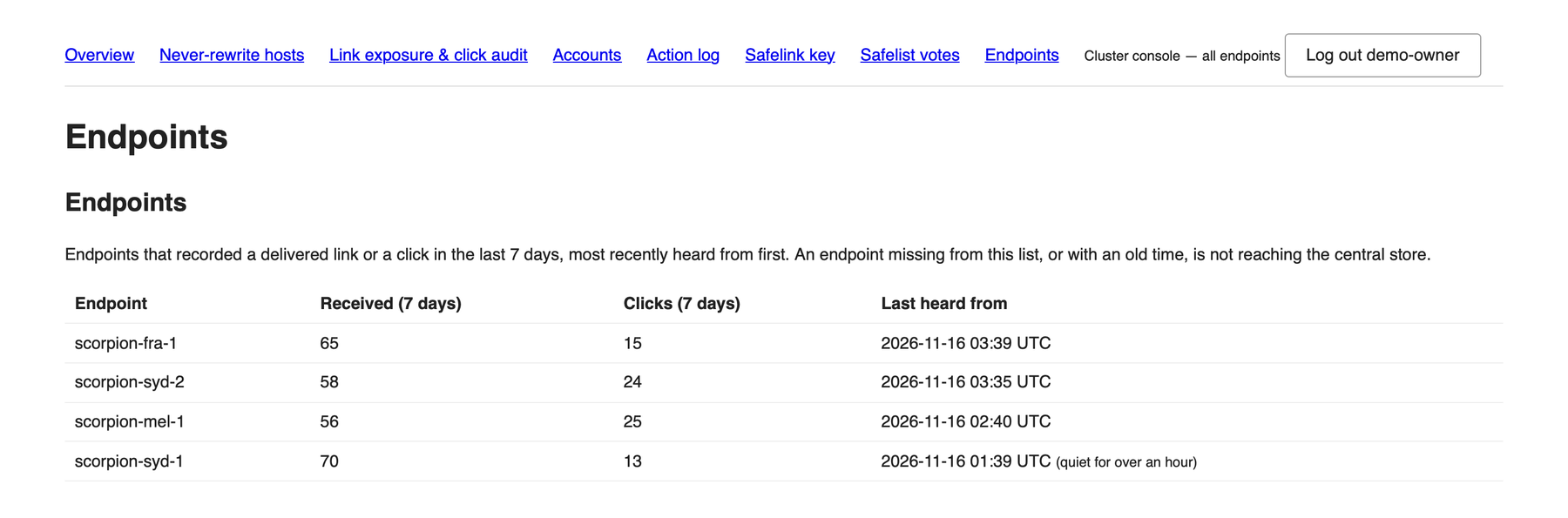
Built for carrier-sized systems.
The central store used by enterprise and carrier-sized installations has been redesigned. Node details are now processed in batches as they are ingested. The aim is that production scales of a million customers and more are straightforward to host, and to track threats across.
04Who may see what
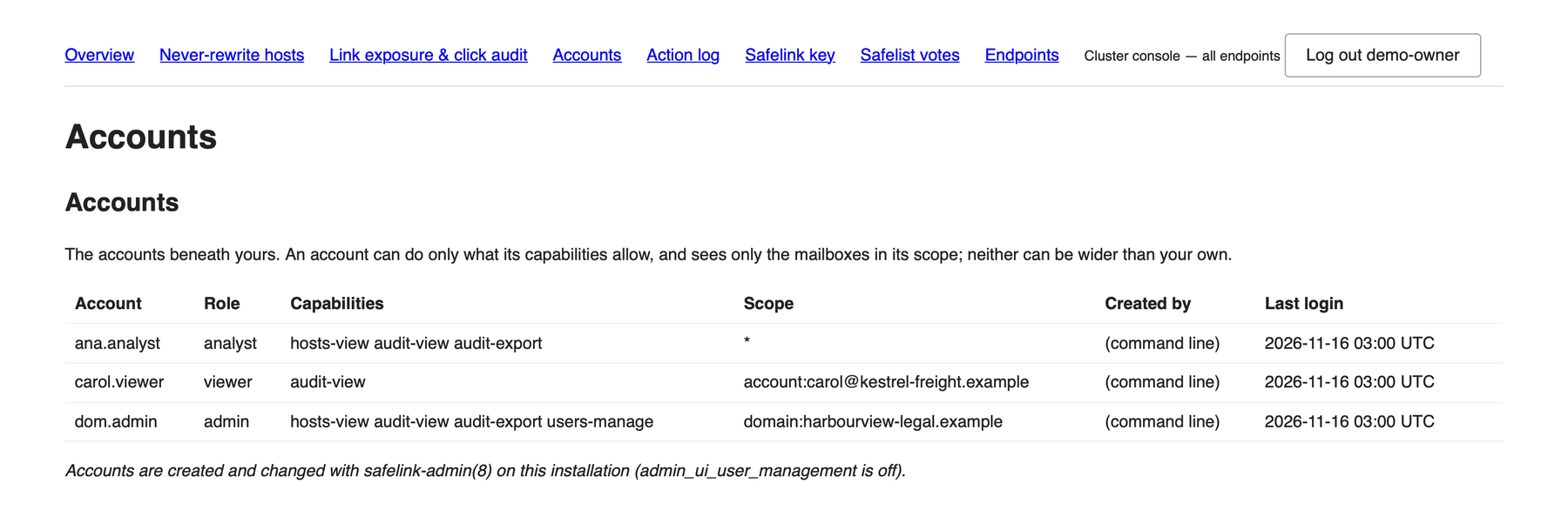
Access is by role and by scope, and the scope is applied inside every database query rather than by hiding rows afterwards.
Five of them
Owner, admin, operator, analyst and viewer. A read-only role cannot promote, demote or flag anything, and no account can be given more than its creator holds.
Everything, a domain, or one mailbox
An administrator for one mail domain sees that domain and nothing else. A viewer can be limited to a single mailbox.
Their own rows only
Optionally, people can sign in with their own email address and mail password, checked against your IMAP server over verified TLS and used for that check only. They can view and export their own mailbox and nothing else.
05Every action is logged
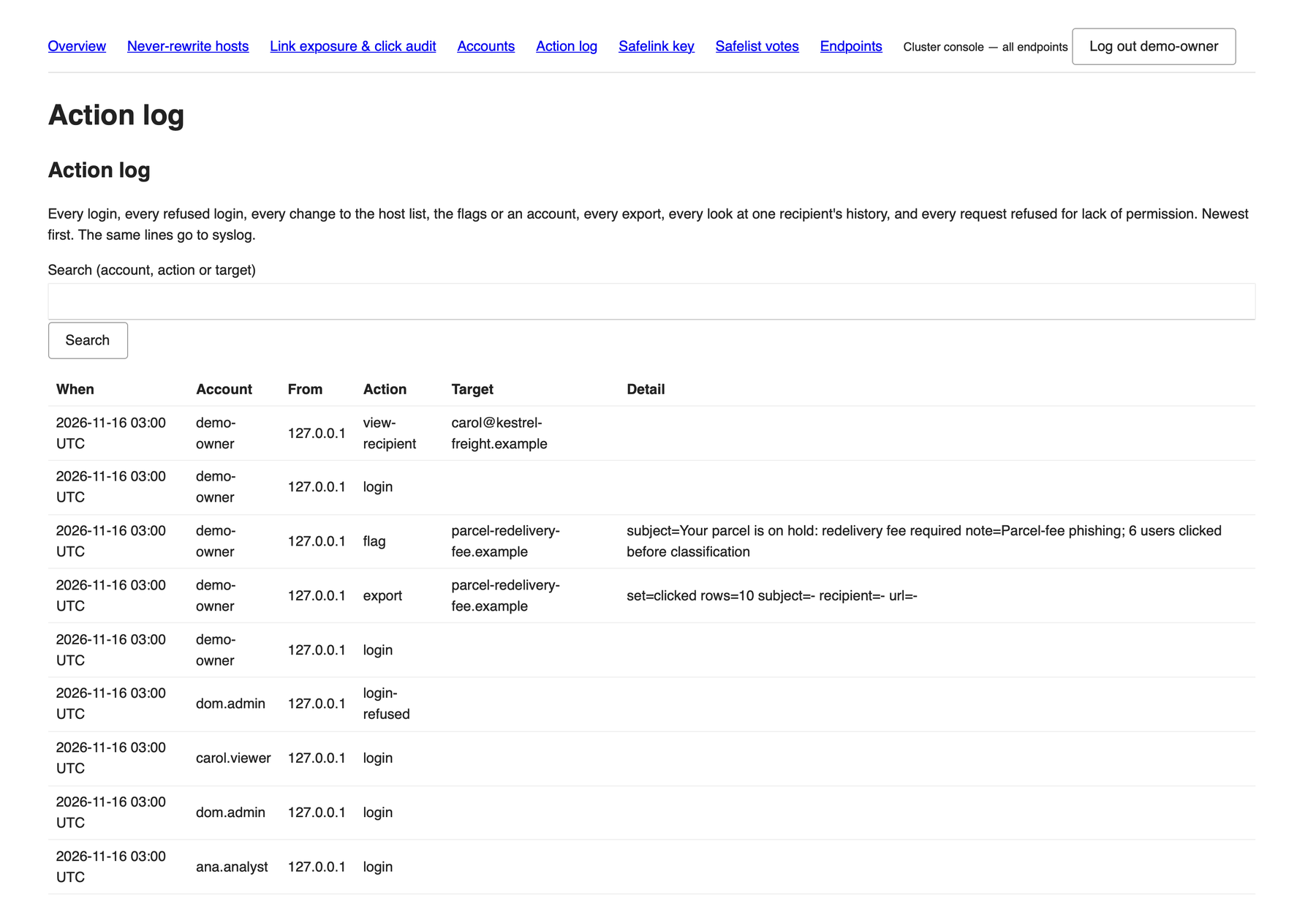
Every sign-in, every refused sign-in, every change to the host list, the flags or an account, every export, every look at one person’s history and every request refused for lack of permission goes into the action log, newest first, and to syslog.
06Good to know
- The screenshots on this page use demo data on reserved example domains. They are not a customer’s mail.
- Reclassifying a host goes through the link checker on each endpoint, so it is done from that endpoint’s own admin pages. The cluster console is for viewing, exporting and flagging.
- A flag is a local note that a campaign is malicious. It is never sent to the checker service, so it cannot change a host’s reputation anywhere else.
See it on your own traffic.
Tell us about your servers and clients and we will scope a pilot on your existing infrastructure.